



Let’s face it. Most people don’t spend much time thinking about how legal information is published and accessed online.
But when the need arises, searching for a specific decision, rule or law, in some cases, can become frustrating.
Too often, legal information is published in a way that makes it difficult to access: it is presented in formats that are not well suited to research, and rarely designed with the needs of end users in mind. Without knowing exactly what you are looking for, it can be hard to find and even more difficult to use effectively.
That’s the challenge the Massachusetts Board of Bar Overseers (Mass BBO) set out to address. They wanted to make their disciplinary decisions easier to find and navigate for everyone. And to make that happen, they turned to Norma, Lexum’s all-in-one platform for managing, enriching, and publishing legal information.
The Role of the Massachusetts Board of Bar Overseers
The Mass BBO is an independent body that investigates complaints made against attorneys in Massachusetts. When a lawyer is accused of misconduct — whether it’s a minor issue or something more serious — the Board ensures the case is reviewed fairly. If disciplinary action is warranted, the Board may impose it directly or recommend further action by the Supreme Judicial Court.
The outcomes of these proceedings are made available on the Board’s website. That’s a key part of ensuring transparency and helping the public understand how the legal profession is regulated. But while the decisions have been made available online for a while, up to this point it wasn’t easy for users to find and navigate through what they were looking for.
The Need for a Better User Experience
Until recently, the Board’s website did offer access to decisions, but in a format that was difficult to navigate. The decisions were divided into three categories:
- Disciplinary Decisions for formal sanctions like suspension or disbarment.
- Admonitions, which are written warnings for misconduct that doesn’t warrant public discipline or limit the right to practice.
- Dismissals where the complaint is reviewed but no action is taken.
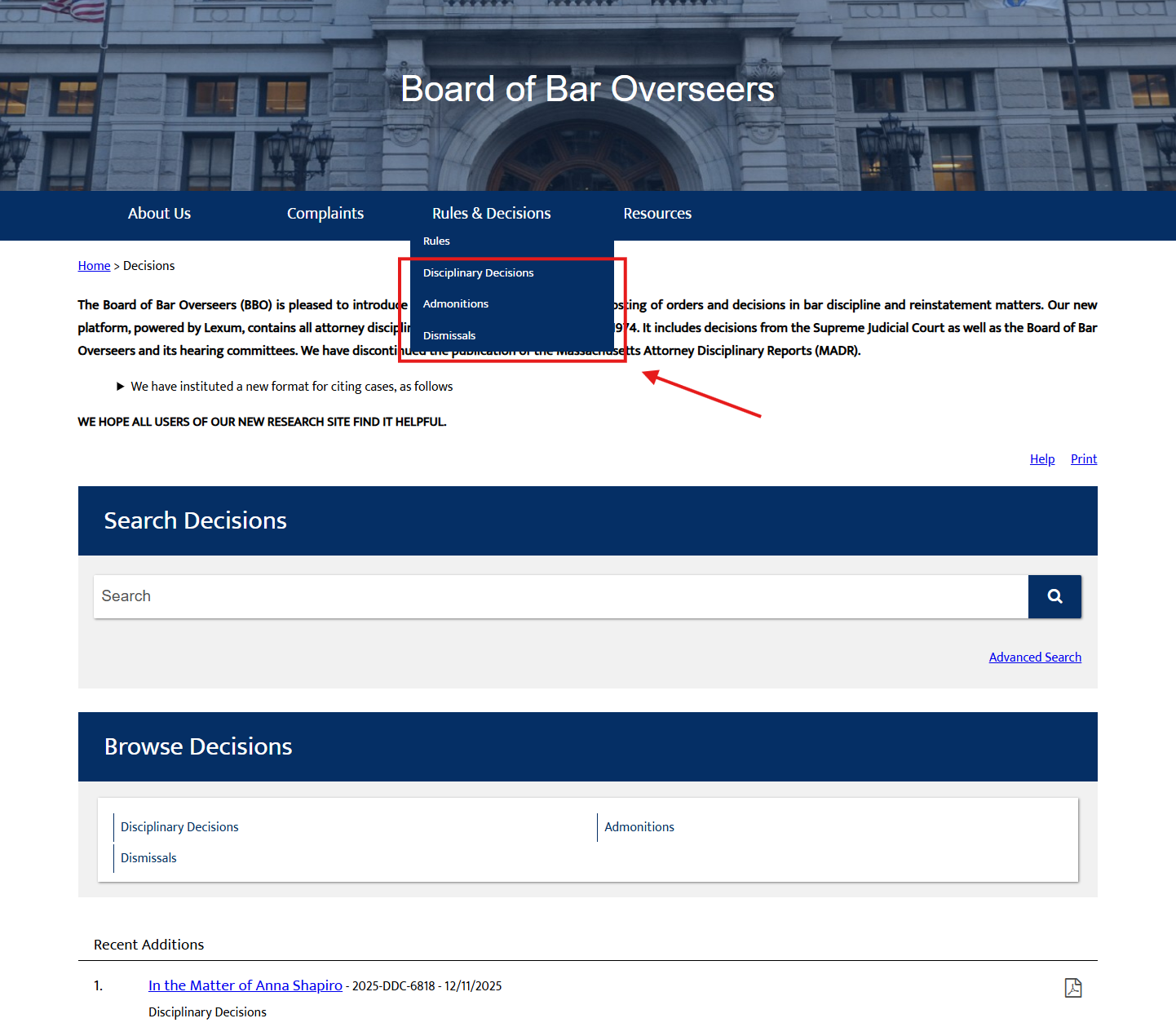
Category of decisions issued by the Mass BBO.
While the structure was sound, the user experience fell short. On one hand, Admonitions from a given year were bundled into a single PDF. This meant that anyone looking for one specific admonition had to download the yearly file and scroll through many pages to find it. On the other hand, Disciplinary Decisions and Dismissals, while individually listed, could only be sorted by case number, citation, or date.
Most importantly, there was no way to search the full text of the decisions or to refine the search using other filters. Unless users already knew exactly which decision they were looking for, the process was often confusing and time-consuming. In theory, the information was public but in practice, it was not easily accessible.
What’s Changed with Norma
With the rollout of Norma, the Mass BBO has taken a major step forward in how it delivers legal information on its website. What was once a static, PDF-heavy experience has been transformed into a dynamic, searchable, and user-friendly platform that puts accessibility first.
To begin, the three types of disciplinary decisions have been organized into collections (Disciplinary Decisions, Admonitions, or Dismissals). Within each of these collections, users can further browse decisions by:
- the year of the decision
- the first letter of the case name
- the official citation
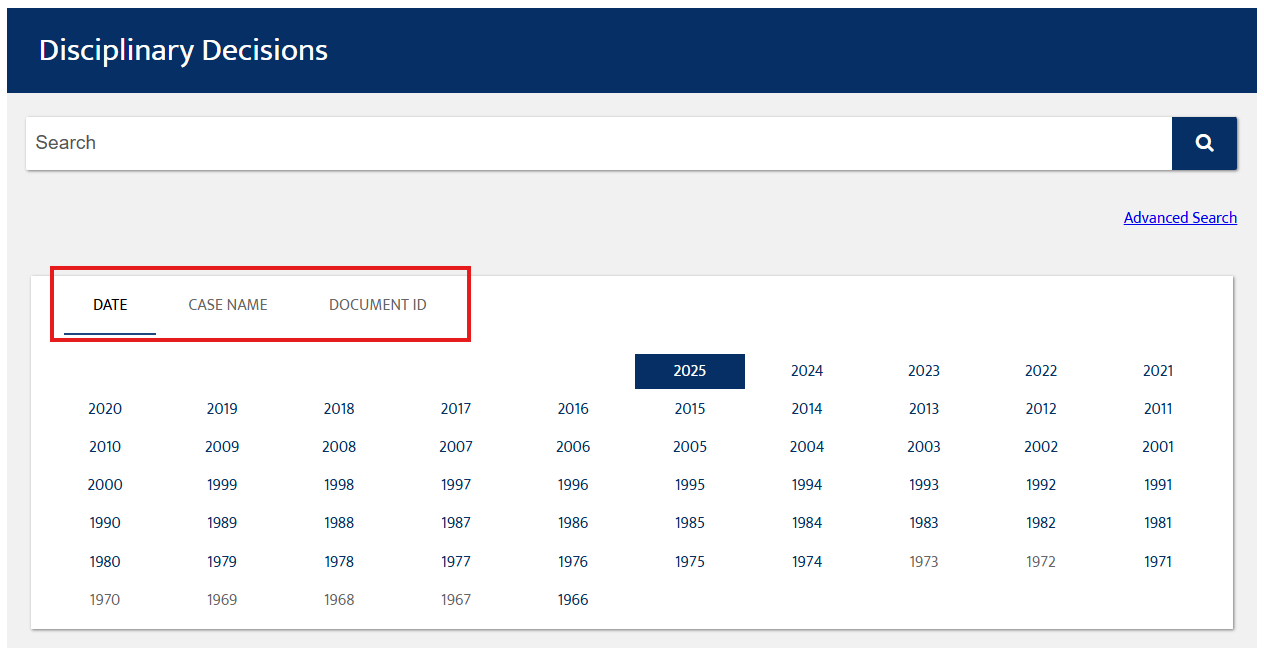
Users can explore rulings by date, case name, and official citation.
Each decision is now published as its own standalone record, making it significantly easier to access, read, cite, and share — no more downloading and scrolling through long, bundled PDFs.
For users who want to go beyond browsing — whether they’re looking for a specific case or conducting broader research — Norma’s Advanced Search provides the flexibility and precision needed to surface the most relevant results.
With the Advanced Search, users can:
- Search the full text using keywords or exact phrases
- Locate cases using a case name, official citation, or case number
- Search by the respondent’s name
To further narrow results, users can apply filters such as:
- Date range
- Disposition or outcome (e.g., admonition, dismissal)
- Collection type (Disciplinary Decisions, Admonitions, Dismissals)
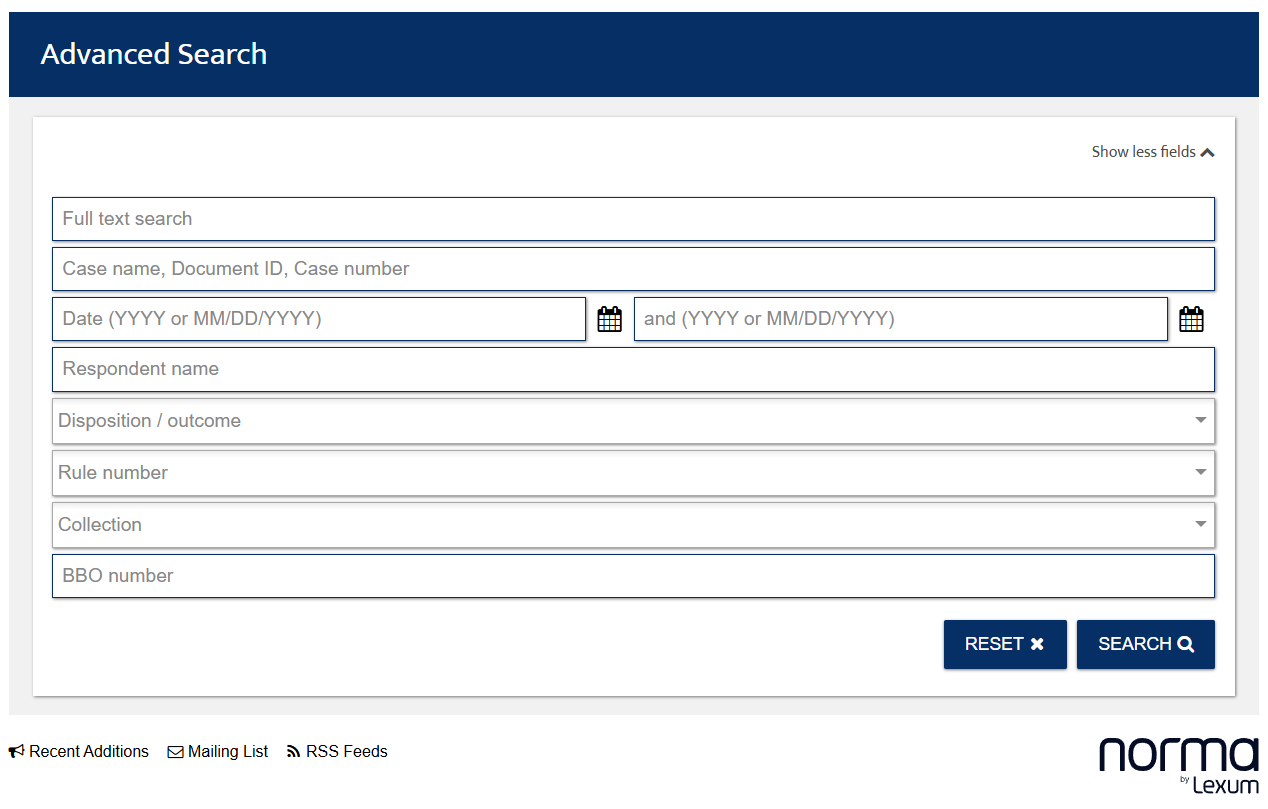
The Advanced Search feature on the Mass BBO decisions database.
To access the Advanced Search interface, users can simply click the “Advanced Search” link located just under the main search bar while browsing any of the decision collections.
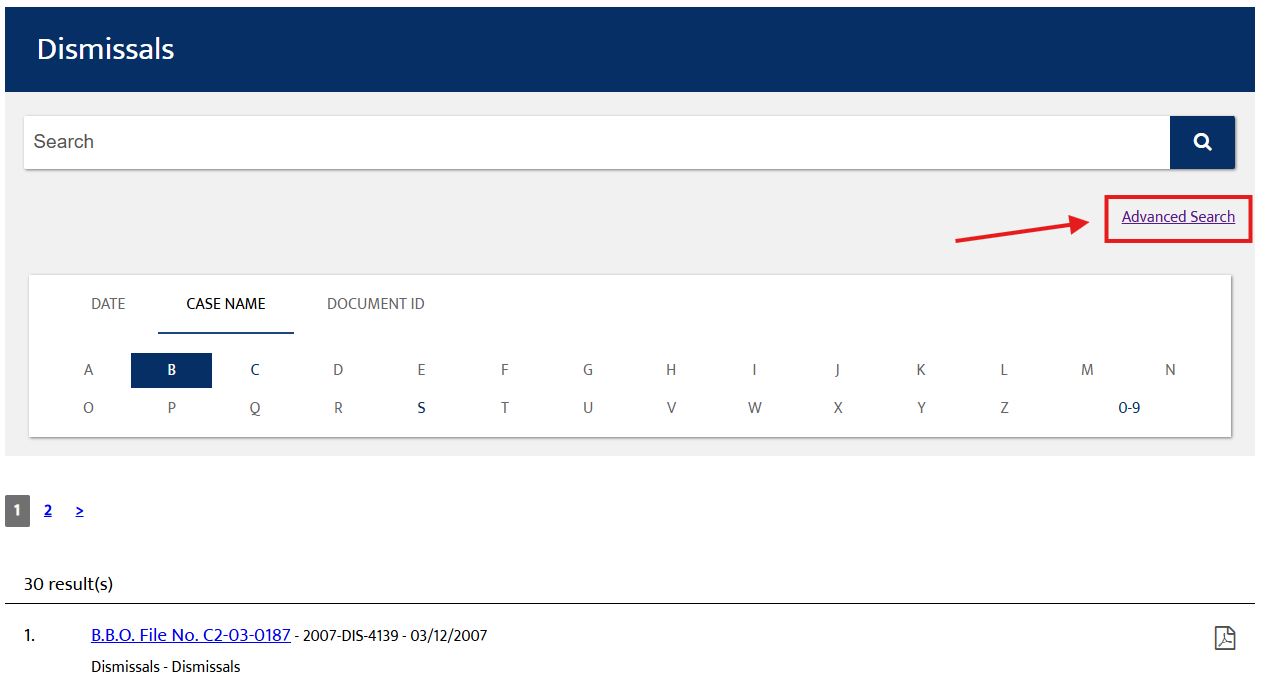
Advanced Search link right under the search tab.
Why It Matters
This change may seem technical on the surface, but in practice, it represents a significant step forward in improving access to lawyer discipline material in the State of Massachusetts. What once required downloading large files and manually scanning for information now takes just a few clicks or a quick keyword search.
By making their decisions easier to access, organizations such as Mass BBO are doing much more than improving a website. They are strengthening transparency and trust in the judicial system. They are ensuring that the rules governing the legal profession are not only public, but truly accessible.
We’re proud to have supported this initiative, and we believe it sets an example for other institutions seeking to improve the way they publish legal information on their website.
At Lexum, we believe in fast, simple and open access to legal information. Norma helps make that happen, one document at a time.
Access the Massachusetts Board of Bar Overseers decisions at: